Thirty years of
hardware. Then
this happened.
Curiosity about how things work is what drives most of the interesting things in life. After years of playing with hardware synths, drum machines and music software, a question kept nagging - could something like this actually be built from scratch in a browser? What you'll find on this page is the answer to that question. It's a journey through six months of late nights, broken code, and the slow satisfaction of watching something come to life one feature at a time.
This one shipped as DP-ONE MKVI and grew enough — a full drum kit, an arpeggiator, per-drum FX, an AI bass generator — that it earned its own name: DP-Evolution. Same rebuilt engine from the MkV, several rounds of real-world use on top. It's available two ways: play it instantly right here in the browser — free, no install, no account — or download it as a native Mac app, built with Electron on the same Web Audio engine, that installs and runs like any other piece of studio software.
Three synth engines — SuperSaw, Moog Bass, and FM Lead — feed through a full seven-mode filter bank with LFO, envelope, drive, chorus, BPM-locked echo, and convolution reverb. A nine-track drum sequencer — kick, snare, hat, tom, rim, shaker, clap, crash, plus a synth track — runs alongside a dual bass sequencer with six engine types: Sub Bass, Acid 303, Slap Bass, Rubber, Reese, and Click Bass.
Play live over the running sequencer from the 37-key on-screen keyboard or any connected USB MIDI keyboard — notes now sound instantly whether the pattern is playing or not. Pitch bend runs through a ribbon controller — slide to bend, and it holds exactly where you leave it rather than snapping back to centre.
A built-in arpeggiator sits alongside the ribbon: flip ARP on and held notes cycle through four patterns — Up, Down, Up/Down, and Random — synced to BPM and running independently of the drum transport, so it works whether the pattern is playing or stopped.
Every one of the nine drum tracks has its own reverb, delay, and shape send — independent per-drum FX, plus a mute button so any sound can be dropped in or out live without erasing its pattern. Patterns can be rendered straight to a WAV file too — hit Export, and the current drum pattern is bounced offline (muted tracks respected) and downloaded, ready to drag into a DAW.
Audio output also routes directly into Logic Pro, Ableton, or GarageBand via BlackHole — a free virtual audio driver that creates a low-latency pipe between DP-Evolution and your DAW. Set BlackHole as your Mac's output, arm a track in your DAW, and record it as a live audio source. Patterns can also be exported as standard MIDI files and imported straight into any DAW as editable regions, with drums on Ch10, bass lines on Ch2 and Ch3, and the synth on Ch1.
An AI bass generator is built in — describe a line in plain English and Claude programs all the steps automatically, choosing the engine and pattern to match. Three preset slots hold complete machine states: BPM, all drum and bass patterns, engine choice, and every knob value. Export and import as JSON to back up or share patches.
None of this came from a course or a textbook. Knobs stopped responding. Keys triggered the wrong notes. The arpeggiator timing would drift. The whole thing would occasionally freeze mid-session. Every time something broke, there was a choice - start over, or figure out why.
The method that emerged was simple enough: copy the HTML into a reader, go through it line by line, find whatever was causing the problem. Search the terms that made no sense. Then go back to AI with something specific - "this section here - what's wrong with it?" That back-and-forth turned out to be the whole education.
Understanding code by fixing it is a perfectly valid way in. Problem first, knowledge second - the learning is a side effect of just wanting something to work. Which, it turns out, is how most useful skills get learned.
School wasn't a great experience - things at home were complicated, and getting out into the world and starting to earn felt more urgent than qualifications. Looking back, that pushed toward a different kind of learning: working things out on the job, adapting, picking up skills by actually needing them. Which is still exactly how it works.
None of this started with code. It started with a page of small ads and a phone call in 1991.
The internet didn't exist - not for most people, anyway. If you wanted to buy something secondhand, you read the Loot - a weekly classified ads paper where buying something meant actually picking up the phone and speaking to a stranger. A Korg M1 appeared in the listings. I made the call, agreed a price, and arranged to meet the seller at Liverpool Street station.
One floor apart.
Found each other
through a newspaper ad."
The seller worked in London - and as we were sorting out the details over the phone, it slowly dawned on both of us that so did I. Right there at Liverpool Street, at County NatWest. Same building. One floor apart. Two people who'd never met, connected by a column of small print and a landline.
Around 300 pounds changed hands. The M1 came home with me. And that was the beginning of a long relationship with synthesisers - hardware first, then software, and eventually the question that led to everything on this page: could I actually build one from scratch?
Thirty years on, here's the answer.

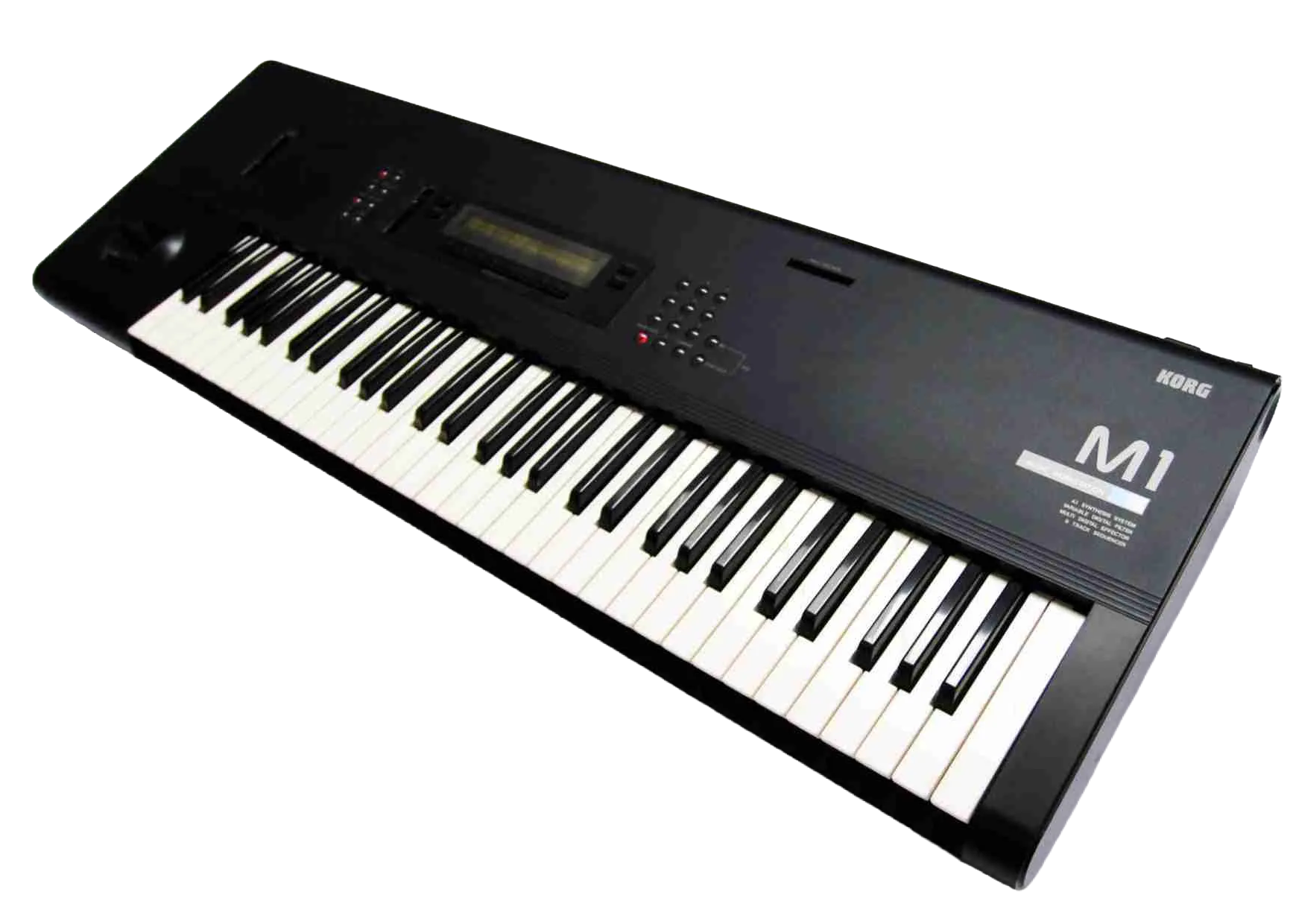
Released 1988. 8-voice workstation synth. Over 250,000 units sold. The piano preset alone appeared on more records than most musicians ever will.
Every journey starts somewhere. This one started with a single prompt and a question - can a working synth actually be built in a browser with no coding background? One oscillator, three waveforms, a basic filter, a two-octave keyboard. Barely anything. But it made sound, it responded to the keys, and that was enough to keep going. Everything else on this page grew from here.
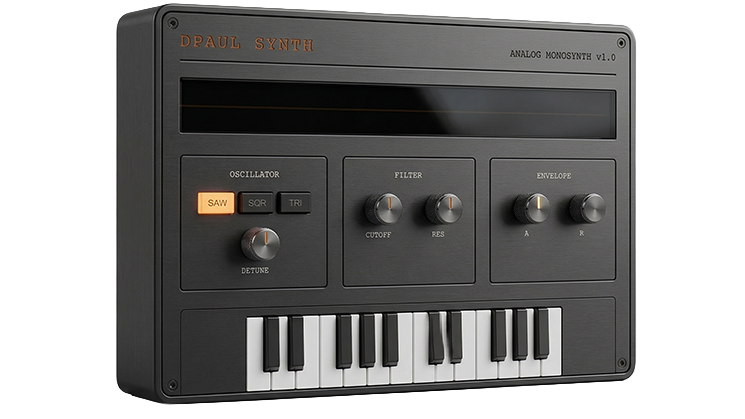
MKI — 3D render from HTML UI screenshot
A single note gets dull quickly. What makes a synth interesting is movement - sound that evolves, patterns that breathe. The MKII introduced four voices running at once, slightly detuned from each other to give that thick, wide quality hardware polysynths are known for. The arpeggiator came next: hold a chord and the synth cycles through the notes automatically, climbing octaves as it goes.
Try holding several keys at once with the arp running - it's one of those features that immediately makes you want to play rather than just test.
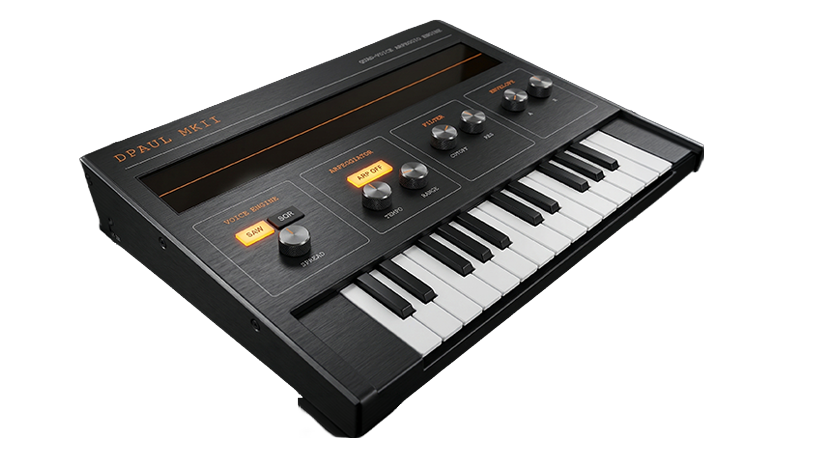
MKII PolyArp — 3D render from HTML UI screenshot
The MKIII is where the project changed shape — from a keyboard instrument you played note by note into something that could run on its own. An 8-step sequencer arrived with four independent rows (kick, snare, hi-hat, synth), a drum mixer, and BPM control, all driven by the same quad-voice engine from the MKII. A sampler was tried and cut — loading files in advance broke the whole point of an instrument anyone could pick up and play immediately.
By the MKIV the keyboard had grown to 37 keys with full pointer-event handling, a pitch wheel arrived for real-time expression, the arpeggiator gained a Hold mode, the drum section expanded to six rows, and the oscilloscope switched to green phosphor. The colour scheme moved from black to silver too — a cleaner, more professional finish that made it look increasingly like real hardware.
Build it right.
After the MKIV the codebase had become a layered accumulation of fixes on top of fixes — everything worked, but only because six months of patches were holding it together. At a certain point continuing to patch stops making sense. The right call was to go back to zero: a complete rebuild, starting from a basic single-voice synth and adding nothing until the previous thing was genuinely understood.
The rebuild itself took two to three days. The six months of knowledge that made it possible — knowing what to ask for, which decisions would cause problems later, what was worth carrying across — is what actually took the time. It's still an ongoing project, running alongside several others at once, picked up and set aside as ideas arrive.
The Roland TB-303 is one of those machines that became famous by accident - designed as a practice tool for guitarists, it ended up defining an entire genre when people figured out what happened if you cranked the resonance and let the filter breathe. The Acid-Box is a dedicated bass synth built around that same character: focused, squelchy, and immediately recognisable.
It runs across two pages - the main sound-shaping panel and a secondary view with a mini keyboard for triggering notes. Fully MIDI compatible, so a hardware controller connects straight in. Custom skins are the next step, with a longer-term goal of a fully 3D-rendered interactive interface.
- TypeMonophonic bass synth
- Character303-style filter / resonance
- Interface2-page layout
- KeyboardMini trigger keyboard (Page 2)
- MIDIFull MIDI input support
- PlatformBrowser - no install required
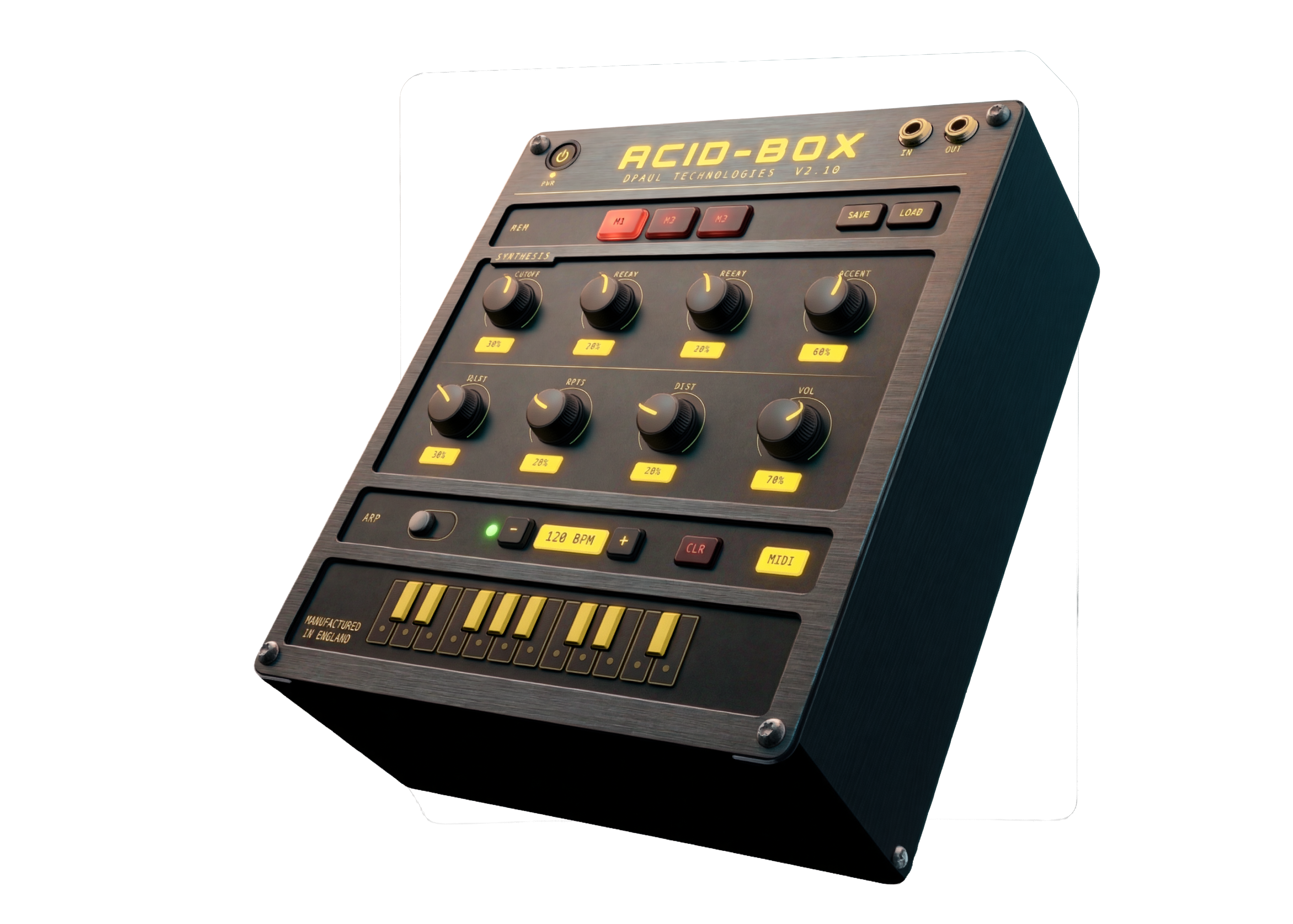
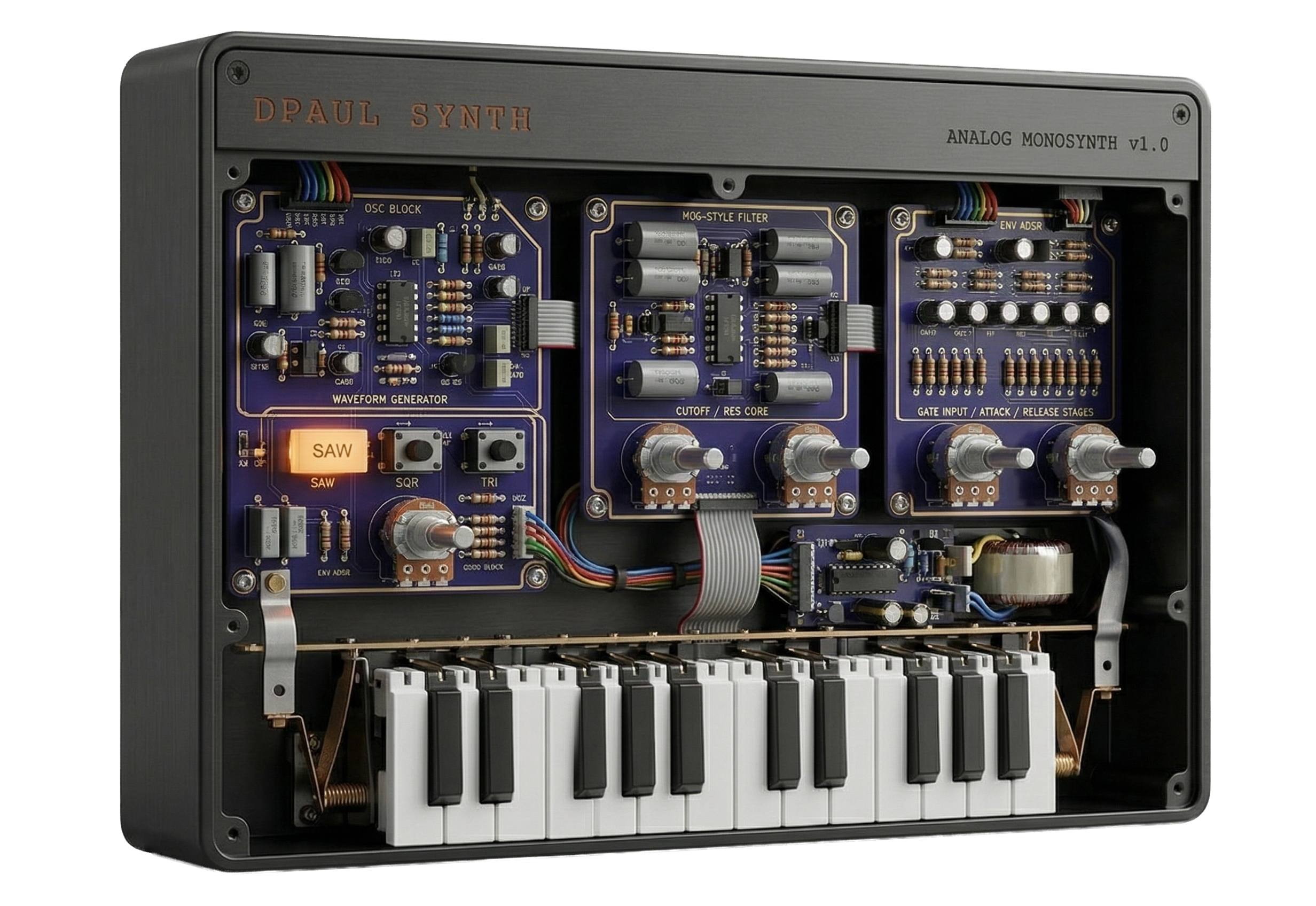
3D render generated from HTML UI screenshot
The browser instruments on this page didn't come from nowhere. They came from thirty years of living with hardware — buying, selling, patching, breaking, and learning through actual machines with actual knobs. The Korg M1 that started it all in 1991 was followed by a Triton, an E-mu Proteus for sample playback, the ER-1 and EA-1 for that particular Korg groove-box sound, a MicroKorg for portability, a Monologue for pure analogue mono, and a Roland FP-10 as a proper weighted keyboard. Each one left something behind — a workflow habit, an understanding of envelopes, a preference for how a filter should behave.
That accumulation of hardware knowledge is what made building software versions possible. You can't design a convincing filter section if you've never twisted a resonance knob into feedback on a real machine.

M1 · Triton · E-mu Proteus · ER-1 & EA-1 · MicroKorg · Microsampler · Monologue · Roland FP-10
The hardware collection has slimmed down over the years — partly practicality, partly a shift toward software that can do things no single piece of hardware ever could. The current setup runs on an Apple Mac M2, with an M-Audio Air 192 audio interface feeding a pair of Yamaha HS5 studio monitors. An Arturia Minilab 3 handles physical controller duties — compact, well-built, and maps cleanly to everything in the software chain.
On the software side: Arturia for the analogue modelled instruments and V Collection, Moog plugins for that particular low-end weight, Korg software editions of the hardware classics, Serum for wavetable work, and Splice for samples and sounds. The browser synths on this page sit alongside all of that — a parallel track, not a replacement.